Session Kickstart
Let the next session start itself.
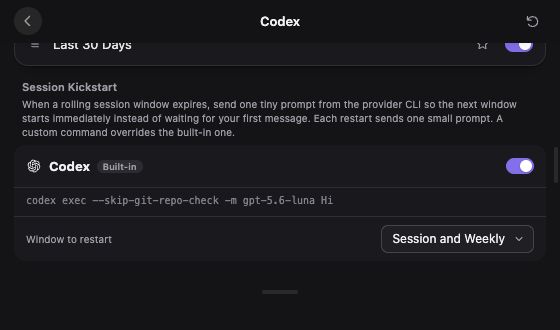
When a rolling window expires, UsageDeck can send one small CLI prompt to start the next window. Enable it for the providers you want to keep ready.
- Set it per provider. Open Customize → provider → Session Kickstart.
- Use a built-in or custom command. Claude and Codex have built-in commands; a custom command overrides the default.
- Choose the window. Supported providers let you restart the session, weekly window, or both.
Opt-in. Requires UsageDeck running and a working provider CLI login or custom command. Each prompt uses provider quota. To start UsageDeck when you sign in, enable Settings → Launch at login.
Customize → Codex